
In brief: Live blog software should fit seamlessly into your existing CMS. That helps newsrooms publish quickly during breaking stories, manage content in one place and reach audiences across channels. Key factors include flexible integration options, search visibility, intuitive workflows and infrastructure that can handle traffic spikes.
Whether it’s election night, severe weather or a Champions League final, readers want minute-by-minute updates as events unfold. How reliably a live blog delivers depends not only on the format, but also on how well the software works with your CMS. Here’s what to consider when choosing a solution - and how to integrate Tickaroo in three steps.

Why traditional CMS platforms struggle with live coverage
Content management systems are designed to plan, edit and publish articles. Live coverage moves at a different pace: many short updates, several contributors working at once and little time to coordinate. Newsrooms often run into three challenges.
🗂️ Managing content in multiple places
If your live blog isn’t properly connected to your CMS, content has to be managed in several places: the headline and teaser in the CMS, updates in the live blog tool, and perhaps images and metadata somewhere else. Every change takes extra time, and under pressure, inconsistencies and errors can creep in.
🔄 Complex coordination and approval processes
During breaking news, reporters in the field, colleagues at the desk, specialist teams and freelancers may all be working in parallel. Without a shared workspace with clear roles and approval processes, coordination shifts to chat and email. It can become difficult to see who has published what, which version is current and what’s still waiting for approval. Every clarification can delay the next update.
📱 Limited flexibility across channels
Traditional CMS platforms are often built around specific page types and channels. But readers follow live events on websites, in apps, in mobile views and on partner sites. If a live blog can’t be easily adapted for these environments, every additional channel creates more manual work.
What to look for in live blog software
These criteria can help you find live blog software that fits your CMS and your newsroom’s workflows.
🔌 Flexible integration options
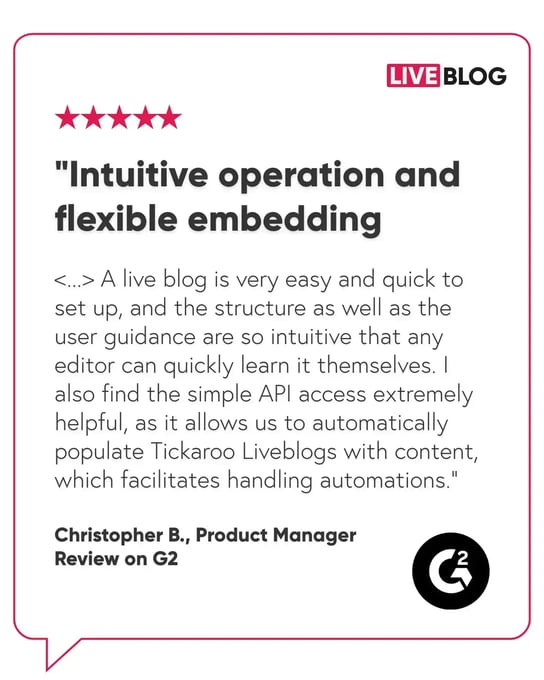
Every newsroom has different technical requirements. Good live blog software offers several ways to integrate: from a simple embed code that can be added to an article without development work, to a custom CMS module, to an API integration that lets reporters create live blogs directly from the CMS. This means you can start with a simple setup and build a deeper integration later.
🔎 Search visibility
During major events, many people search for the latest updates. Your live blog can benefit only if search engines can read its content. If the content loads only through JavaScript, some search engines may not fully capture it. Look for server-side content delivery, structured data from Schema.org - such as the LiveBlogPosting type - and support for fast mobile formats like AMP.
🧭 An intuitive interface and clear user roles
There’s no time for lengthy training during a breaking story. The interface should be easy enough for freelancers and guest contributors to use straight away. Roles, permissions and approvals should be managed centrally. Ideally, the software also supports single sign-on, so everyone can log in with their existing credentials.
🎥 Multimedia and embeds
Videos, audio, graphics, polls and social media posts can bring a live blog to life. Contributors should be able to add them in a few clicks, without having to work with code.
🔗 Connections to news agencies and data sources
Agency reports, sports data, and content from external providers should flow directly into the workspace, where they can be reviewed and approved. This cuts down on copying and pasting and helps teams move faster in the first minutes of a developing story.
💰 Design, monetization, and analytics
You should be able to match the live blog to your brand without needing programming skills. Ad placements and sponsorship opportunities can create additional revenue, while real-time analytics show which content resonates with readers.
⚡ Performance and data protection
Your live blog needs to stay reliable when audience numbers surge. Scalable cloud infrastructure can handle traffic spikes without slowing down your website. For publishers in Europe, GDPR-compliant data processing and a data processing agreement are also essential.
Get your Tickaroo integration up and running in three steps
Tickaroo Live Blog is designed to fit into your existing workflows rather than replace them. Whether you use WordPress, Arc XP or a custom-built CMS, you can choose the level of integration that works for your setup and expand it later if needed.
🎨 Step 1: Set Up Your Design
Use the Theme Generator to customize colours, fonts and layouts to match your brand - no coding required. You can create themes for your whole organization so every live blog automatically follows you branding. You can also plan ad and sponsorship placements as part of your coverage.
🧩 Step 2: Choose an integration option
Depending on your setup, you can choose from three options:
- Embed code: If your CMS supports custom HTML, generate the widget code in the Tickaroo Editor and add it to your article. For example, you can embed a live blog in WordPress without an additional plugin.
- CMS module: The most popular option among Tickaroo customers. A simple module makes it easier for editors to add a live blog and supports server-side content delivery and AMP.
- API integration: Create live blogs directly from your CMS - ideal for newsrooms that want to manage everything in one system.
Tickaroo also offers a ready-made PowerUp for Arc XP. With a CMS module or API integration, server-side prefetch can deliver live blog content and structured Schema.org data directly in the HTML. This helps search engines reliably access your live coverage and helps you capture the visibility your reporting deserves during major events.
👥 Step 3: Give your team access and go live
Set up user accounts, roles and permissions, with single sign-on if you prefer, and your team is ready to publish. With Tickaroo’s free iOS and Android apps, reporters can also send updates directly from their phones while on the move.
Multimedia embeds, sports data and the Tickaroo Marketplace - where you can source professional live coverage from external providers - are all available in the same tool. Real-time analytics then show you which content is resonating with your readers.
Frequently Asked Questions About Live Blog Software Integration
Ready for your next big live moment?
Whether you need an embed code, a CMS module or an API integration, we’ll help you find the right fit for your CMS. Tell us about your setup in the form below, and we’ll be in touch!